TL;DR — Quick answer for buyers
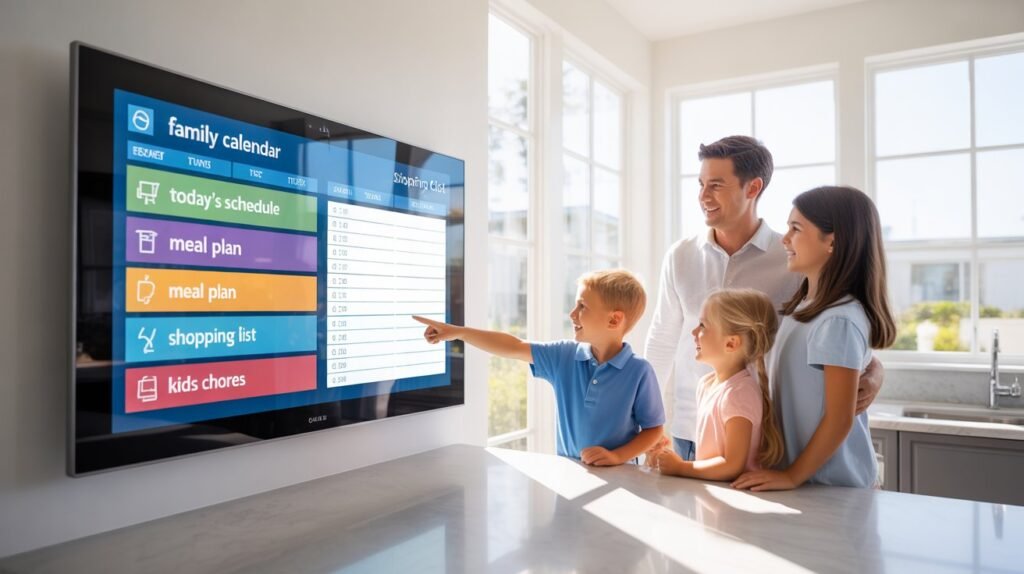
If your family struggles to keep schedules, chores, meal plans, and smart-home controls in one place, the Apolosign 27” 4K Digital Calendar is a purpose-built wall display that turns a busy kitchen or living room wall into a family command center. It offers a 27” 4K anti-glare display, multi-calendar syncing (Google, Apple, Outlook), chore & reward systems, a photo-frame mode, Android app access, and Google Assistant voice integration — all designed for families rather than entertainment. Price and official options currently list at about $799 on the maker’s site.
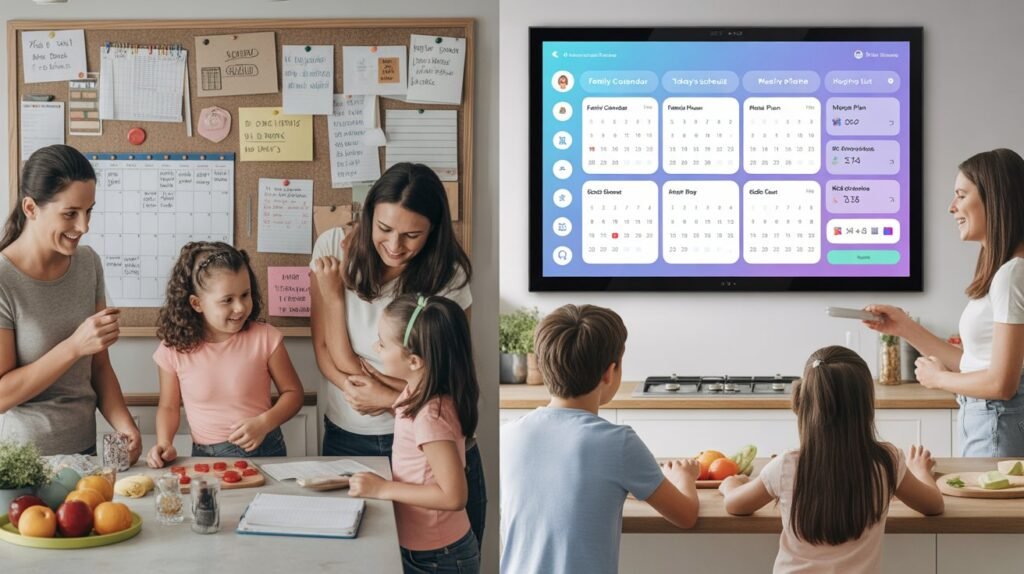
The Problem (what most families face)
- Multiple calendars: mom’s work calendar, dad’s shifts, kids’ sports, school events — all fragmented across devices.
- Sticky notes and whiteboards are messy, limited, and easy to miss.
- Tablets/phones are portable but get buried in pockets; TVs are large but not optimized for quick family planning.
- Kids need motivation for chores; parents need an easy way to assign & track tasks.
- Photo frames and grocery lists are useful but scattered across apps.
If that sounds like your household, you need a solution that’s always visible, family-focused, and integrates calendars, chores, meal planning, and smart home control into one hub.
The Solution: What the Apolosign 27” 4K does differently
- Purpose-built Calendar Mode that shows multi-calendar views, daily tasks, and family routines with a clean, glanceable UI.
- Android Dashboard Mode (Dual Mode) to run apps from Google Play when you want more functionality (YouTube, recipes, music).
- Built-in chore + rewards system to gamify tasks and motivate kids.
- Meal planning & recipe organization with grocery list integration.
- Photo Frame Mode that supports Google Photos with no subscription required.
- Anti-glare 4K matte screen designed for readability in kitchens and bright rooms.
- Voice control and smart home integration for hands-free commands and device control.
Real features (short checklist)
- 27” 3840×2160 (4K) anti-glare matte display (best for kitchens/open spaces).
- Dual Mode: Calendar Mode + Android Mode (download apps).
- Syncs with Google, Apple, and Microsoft Outlook calendars.
- Chores → points → rewards system.
- Photo frame (Google Photos support).
- Voice control (“Hey Google”) and Google Home integration.
Who this is best for
- Busy families who want a single, always-on central planner.
- Households that want a visible chore+reward system for kids.
- People who want a wall display that’s more functional than a TV and more visible than a tablet.
- Kitchens, open-plan living areas, or home offices where readability from across the room matters (27” size is built for larger spaces).
Pricing & where to buy
Official site and major retailers list the 27” model; the maker’s site shows the 27” 4K model at about $799 (sales/discounts change frequently). You’ll also find it in larger retail marketplaces like Walmart and Amazon at similar price points or via resellers. Always check seller reviews and warranty terms before purchase.
🔥 Check Latest Price & DealsComparison Table — Apolosign 27” vs common alternatives
| Feature / Model | Apolosign 27” 4K Digital Calendar | Large Tablet (12–14″) | Smart TV or Echo Show |
|---|---|---|---|
| Purpose-built calendar UI | ✅ Yes — Calendar Mode | ❌ No (apps only) | ❌ No (apps/widget limited) |
| 4K anti-glare matte screen | ✅ Yes (27″ 4K) | Usually no (max 2K) | ✅ TVs have 4K but glossy/reflection prone |
| Multi-calendar auto-sync | ✅ Google/Apple/Outlook | Possible via apps | Limited (depends on platform) |
| Chore + rewards system | ✅ Built in | App required | Usually app/skill required |
| Photo frame with Google Photos | ✅ Yes (no subscription) | Yes (app) | Yes (via app) |
| Android app access / Google Play | ✅ Android Mode | ✅ (native) | Limited (smart TV store) |
| Wall mountable / design for wall | ✅ VESA mount, wall bracket included | Some tablets mountable via accessories | TVs mountable but not purpose-built |
| Price (typical) | ≈ $799 (27″ 4K) | $300–$1,000 | $200–$1,500 |
Pros & Cons
Pros
- Large, readable 27” 4K anti-glare display made for visibility across rooms.
- Intentional family features: built-in chores, rewards, meal planning, and multi-calendar syncing.
- Dual Mode adds flexibility — use it as a calendar or a full Android dashboard.
- Photo Frame Mode that integrates with Google Photos without extra subscription fees.
- Voice control and smart home integration for hands-free use.
Cons
- Price: premium for a single-purpose wall device (about $799 for the 27″ 4K).
- Not as flexible as a tablet if you need portability.
- Some users report occasional touch sensitivity quirks on a matte surface (matte finish can reduce touch sensitivity vs glossy). Community feedback mentions fairness in touch response.
- If you already have an ecosystem-locked home (Apple-only), some integrations may feel less native than within Apple’s ecosystem.
Installation & Setup (what to expect)
- Unbox: display, power adapter, wall mount bracket, user manual.
- Wall mount: VESA mount/ bracket included — plan for a stud or use appropriate drywall anchors.
- Sign in & sync: connect to Wi-Fi → add Google/Apple/Outlook accounts to enable calendar auto-sync.
- Customize: set up family profiles, chore rules, rewards, and photo frame sources (Google Photos).
- Optional: link Google Home for voice commands and integrate smart devices (cameras, doorbells).
Hands-on usage tips (for best results)
- Place in a high-traffic spot (kitchen, entryway) so everyone passes by daily.
- Use Calendar Mode for mornings (glanceable schedule) and Android Mode for evenings (recipes, music).
- Set a simple reward system (points → small treats) to encourage kids to check and complete chores.
- Configure family color codes per person for quick reading.
- Use Photo Frame Mode overnight or as a screensaver to personalize the space.
Real customer feedback & reliability
Overall user reviews on the brand site and large retailers are positive: customers praise the readability, family features, and design. Some reviewers mention touch sensitivity quirks and recommend mounting in a protected spot in the kitchen to avoid splashes. For third-party reviews and community feedback, see marketplace and review pages.
Quick buying checklist — buy if:
- You want an always-on family hub that’s easy to read across the room.
- You value built-in family tools (chores, rewards, meal planning) over raw entertainment features.
- You plan to wall-mount a permanent home command center rather than move a tablet between rooms.
Consider alternatives if you want portability (tablet) or a multi-purpose living-room TV.
Frequently Asked Questions
Q: Is the Apolosign 27 worth the price?
A: If you need a wall-mounted, always-visible family hub with built-in chores, rewards, meal planning, and calendar sync (Google/Apple/Outlook), it’s a strong buy. For portability, choose a tablet instead.
Q: What calendars does it sync with?
A: Auto-sync support is listed for Google, Apple, and Microsoft Outlook calendars.
Q: Does the 27” model need a subscription for photos?
A: Photo Frame Mode supports Google Photos without requiring an additional subscription.
Q: Can you mount the Apolosign 27 in the kitchen?
A: Yes — the unit ships with a wall mount bracket and is designed for visible placement in kitchens and living spaces. Consider splash protection and proper anchor hardware.
Q: How does the matte screen affect touch performance?
A: The anti-glare matte finish improves visibility but some users note slightly different touch sensitivity vs glossy tablet screens. Community feedback recommends calibrating touch and using light taps.
New Subscription — $30 OFF
Christmas Exclusive — 10% OFF Sitewide
$30 OFF Orders Over $200
Final verdict — Apolosign 27” 4K Digital Calendar
Bottom line: the Apolosign 27” 4K Digital Calendar is a polished, purpose-built family hub that earns a strong recommendation if your goal is a permanent, always-visible command center for schedules, chores, meal planning, and smart-home control. It’s not a cheap gadget, but for households that need visibility, kid-friendly routines, and a large anti-glare display, it solves real pain points that tablets and TVs don’t.
Who should buy it
- Busy families who want a single wall-mounted hub for Google/Apple/Outlook calendars, chores → rewards, and meal planning.
- Homeowners who value a large anti-glare screen readable across rooms.
- People who want built-in smart-home and Google Assistant integration without juggling multiple apps.
Who should skip it
- If you need portability (pick a tablet).
- If you’re on a very tight budget — similar or cheaper tablets can cover basic calendar needs.
- If your home is 100% Apple ecosystem and you prefer native Apple-first experiences.
Quick verdict snapshot
- Ease of use: Excellent (calendar-first UI + Android Mode)
- Features: Very good (chores, photos, meal plans, voice control)
- Value: Good (premium price ≈ $799; high utility for family use)
- Reliability & support: Solid (ongoing OS updates reported)
- Overall rating: 4 / 5
Final recommendation: If an always-on, family-focused wall display fits your lifestyle, this is one of the best options available in 2026. Before you buy, check active coupons (WELCOME26, AFFAWIN, and the seasonal Promotion) to maximize savings — and grab the current deal here:
🔥 Check Latest Price & DealsIf you’re planning outdoor adventures or emergency preparedness, you may also want to explore the best gravity water filters for camping in 2026. These systems allow you to filter large amounts of water without pumping—simply hang the water bag and let gravity do the work.