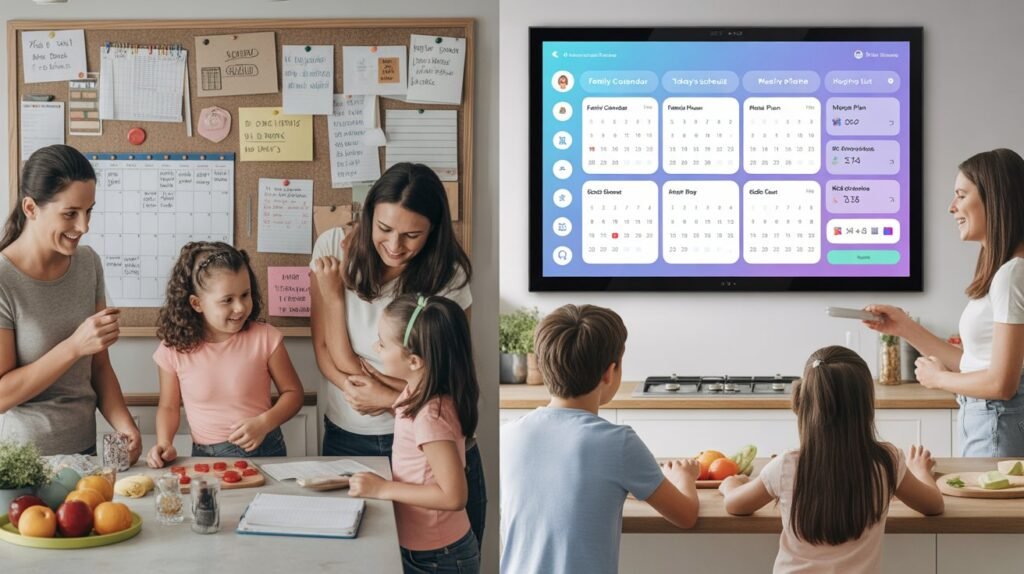
Managing a modern household often feels less like parenting and more like running a high-stakes, 24/7 corporation—but without the HR department, the executive assistant, or the office coffee budget. Between the frantic morning rush, back-to-back soccer practices, looming doctor appointments, and that one random “Spirit Day” notification you inevitably discover ten minutes before the bus arrives, our old paper calendar didn’t just look disorganized—it looked like a total crime scene.
We reached a breaking point where the paper-based chaos was simply unsustainable. In our search for a solution to streamline our home management, we transitioned to the Apolosign Digital Family Calendar. We also took a closer look at the larger Apolosign 27-Inch Digital Calendar to see how its bigger wall-mounted format fits into a busy household.
After living with it for a full month, we are finally ready to provide the definitive verdict: does this device actually kill the household chaos, or is it just another glowing screen taking up valuable wall space?
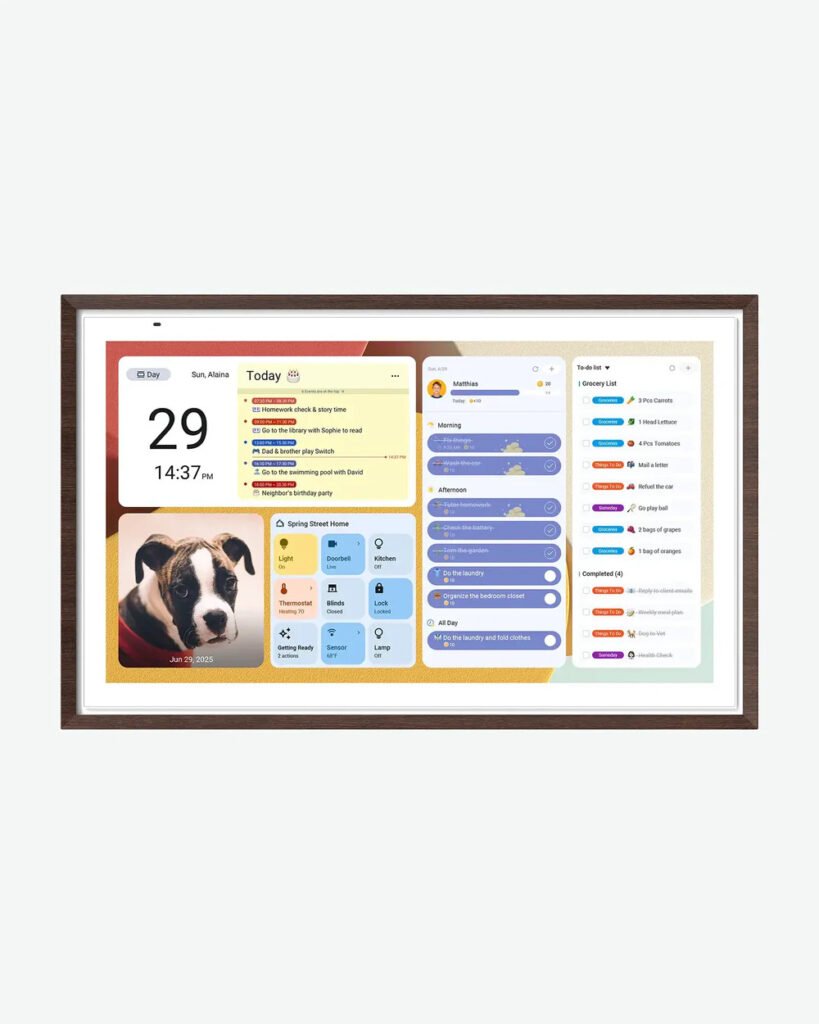
Is It Worth the Screen Real Estate?
Before we dive into the deep-dive specs, let’s get straight to the point. We treat our home like a project site, and we don’t tolerate gear that doesn’t pull its weight. If you are struggling with missed appointments and family silos, here is how the Apolosign stacks up.
🏠 Use code AFFAWIN at checkout to save $30 on your subscription! (Official website only )
How Do Digital Wall Calendars Work?
At its core, a digital wall calendar is a dedicated, Wi-Fi-enabled smart display that acts as your home’s “Command Center.” Here is the simple breakdown:
- Cloud Syncing: It connects to your existing accounts like Google Digital Calendar, Outlook, or Apple iCal. When you add an appointment on your phone, it appears on the wall instantly.
- Centralized Hardware: Unlike a tablet, these are designed to be permanently mounted. Devices like the Apolosign Digital Calendar offer large, high-definition touchscreens that make the schedule visible from across the room.
- Custom Modules: Beyond dates, you can import to-do lists, meal plans, and chore charts. While some require manual entry, the best systems allow for “set it and forget it” automation.
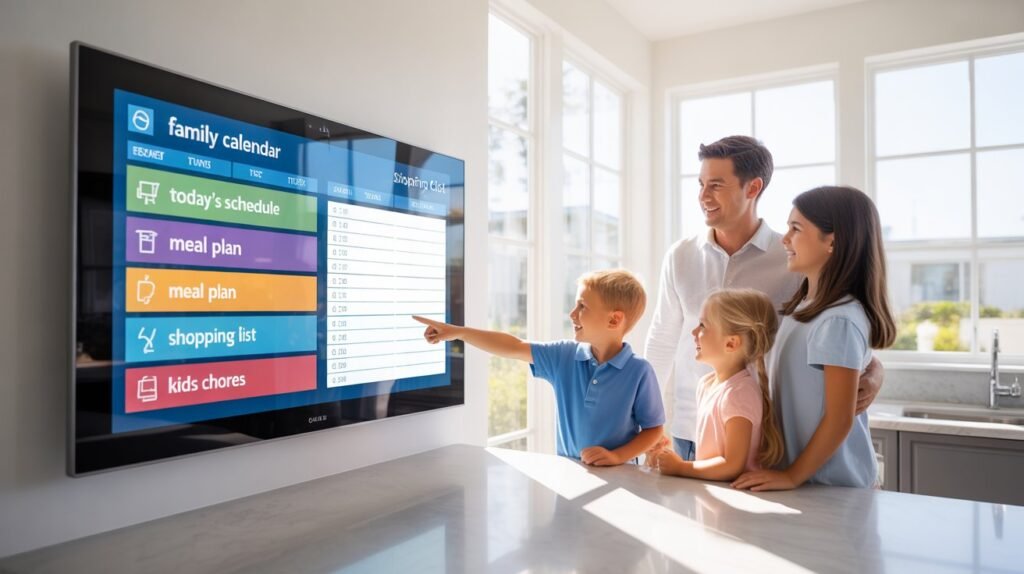
Modern households face “invisible chaos”—the stress of coordinating multiple schedules, sports, and chores. Most traditional apps fail because they are hidden on personal phones. The Apolosign 27” 4K changes this by providing a “central command center” that is always visible in the kitchen or hallway.
The 2026 Showdown: Top Family Calendar Solutions
“Before we dive deep into the ApoloSign, let’s see how it stacks up against the other ‘big names’ in 2026. If you’re looking for the absolute best way to manage your household, here is the current landscape:”
- Best Smart Wall Calendar (Hardware): Skylight Calendar 2 is a solid runner-up with a kid-friendly interface and interactive chores, but it lacks the screen real estate of the ApoloSign.
- Best All-in-One App: Cozi Family Organizer remains a favorite for shared lists and meal planning, though it lives on your phone, not your wall.
- Best AI-Powered Organizer: Sense is a top choice for families who want AI to automatically pull events from emails.
- Best for Large Families: ApoloSign 27” is the undisputed heavyweight champion for visibility and managing 5+ schedules at once.
- Best Free Alternative: Google Calendar is still the most reliable free digital option if you don’t mind the manual entry.
Why the Apolosign is a Total Game-Changer
The first thing you’ll notice is the screen. It is massive and crystal clear. Most of these smart calendars feel like a tiny tablet glued to a wall, but the Apolosign actually looks like a piece of high-end home decor.
Setup was a breeze. I’m not exactly a tech genius, but I had it synced with my Google Calendar and Outlook in under ten minutes. No joke—if you can download an app, you can set this thing up.
Quick Pros & Cons
| Feature | The Good | The Not-So-Good |
| Display | Massive, vibrant touch screen | Requires a power outlet |
| Setup | Fast Google/Apple sync | Needs strong Wi-Fi |
| Price | Better value than competitors | Initial investment is higher than paper |
| Kids’ Use | Fun chore charts & lists | Fingerprints (easily wiped off!) |
🏠 Use code AFFAWIN at checkout to save $30 on your subscription! (Official website only )
How to Fix Common Google Calendar Sync Problems
If your events aren’t appearing on your wall display, try these expert fixes:
- Check Visibility: Open the Google Calendar app, tap Menu, and ensure the box next to your family calendar name is checked.
- Verify Account Sync: In your device Settings, go to “Passwords & Accounts” > “Google Account” and ensure “Calendar Sync” is toggled ON.
- Clear App Cache: If events are stuck, go to Settings > Apps > Calendar > Storage and click “Clear Cache.” This refreshes the data stream without deleting your events.
- Storage Check: Ensure your device has at least 5GB of free space; syncing often stops when local storage is full.
Top Digital Calendar Apps for Families
To make your wall display truly effective, you need the right software. While your Apolosign works as a Google digital wall calendar, it can also host these top-rated family apps:
- Google Calendar: The gold standard for reliability and cross-platform syncing.
- Cozi Family Organizer: Excellent for tracking individual kid schedules and grocery lists.
- Dakboard: The go-to for those who want a beautiful, “aesthetic” dashboard with weather and news.
- Any.do: Perfect for families who are driven by heavy to-do lists and task management.
TL;DR — Quick answer for buyers
If your family struggles to keep schedules, chores, meal plans, and smart-home controls in one place, the Apolosign 27” 4K Digital Calendar is a purpose-built wall display that turns a busy kitchen or living room wall into a family command center. It offers a 27” 4K anti-glare display, multi-calendar syncing (Google, Apple, Outlook), chore & reward systems, a photo-frame mode, Android app access, and Google Assistant voice integration — all designed for families rather than entertainment. Price and official options currently list at about $799 on the maker’s site.
What Features Should I Look for in a Digital Family Calendar?
Dual-Mode Functionality: The ability to switch between a focused calendar and an Android dashboard for apps like Spotify or Meal Planners.
No Subscription Model: Unlike competitors that charge $79/year, look for “one-time purchase” devices that offer free lifetime syncing.
Advanced Chore & Reward Systems: Features that allow kids to earn points for tasks build better habits and reduce parental “nagging”.
Visibility at Distance: A 27-inch 4K display ensures text is legible from 15 feet away, allowing you to check the schedule while cooking.
Key Features to Look For in 2026
“If you’re shopping around, don’t settle for a basic screen. In 2026, a true ‘command center’ needs:
- Interactive Chore Charts: Look for systems (like ApoloSign or Hearth) that allow kids to check off tasks for rewards. It’s a sanity-saver.
- Meal Planning & Grocery Integration: Your calendar should tell you what’s for dinner and help you build the shopping list instantly.
- Voice & AI Input: Life is too busy for typing. The best 2026 models, like the ApoloSign with Gemini AI, allow you to dictate entries or use photo-input to minimize manual work.”
The Problem (what most families face)
- Multiple calendars: mom’s work calendar, dad’s shifts, kids’ sports, school events — all fragmented across devices.
- Sticky notes and whiteboards are messy, limited, and easy to miss.
- Tablets/phones are portable but get buried in pockets; TVs are large but not optimized for quick family planning.
- Kids need motivation for chores; parents need an easy way to assign & track tasks.
- Photo frames and grocery lists are useful but scattered across apps.
If that sounds like your household, you need a solution that’s always visible, family-focused, and integrates calendars, chores, meal planning, and smart home control into one hub.
The Solution: What the Apolosign 27” 4K does differently
- Purpose-built Calendar Mode that shows multi-calendar views, daily tasks, and family routines with a clean, glanceable UI.
- Android Dashboard Mode (Dual Mode) to run apps from Google Play when you want more functionality (YouTube, recipes, music).
- Built-in chore + rewards system to gamify tasks and motivate kids.
- Meal planning & recipe organization with grocery list integration.
- Photo Frame Mode that supports Google Photos with no subscription required.
- Anti-glare 4K matte screen designed for readability in kitchens and bright rooms.
- Voice control and smart home integration for hands-free commands and device control.
🏠 Use code AFFAWIN at checkout to save $30 on your subscription! (Official website only)
Exclusive Insider Tip: The ‘Hidden’ Productivity Hack
“Looking at this through a performance lens, I noticed a feature most reviewers overlook: Dual-Orientation Mounting. Most digital calendars are ‘stuck’ one way. The ApoloSign’s hardware flexibility is actually its secret weapon.
- The Vertical Hack: If your family is list-heavy (lots of chores, grocery lists, and to-dos), mount it Vertically. It mimics a traditional ‘fridge list’ but with massive digital space, making it much easier for kids to read and interact with.
- The Horizontal Hub: If you are a heavy meal-planner or like to use the ‘Split Screen’ mode to watch YouTube cooking videos while checking the schedule, mount it Horizontally.
This ‘future-proof’ hardware design is a huge win—it means the device grows with your family even if you move it to a different room or change your kitchen layout.”
Real features (short checklist)
- 27” 3840×2160 (4K) anti-glare matte display (best for kitchens/open spaces).
- Dual Mode: Calendar Mode + Android Mode (download apps).
- Syncs with Google, Apple, and Microsoft Outlook calendars.
- Chores → points → rewards system.
- Photo frame (Google Photos support).
- Voice control (“Hey Google”) and Google Home integration.
Who this is best for
- Busy families who want a single, always-on central planner.
- Households that want a visible chore+reward system for kids.
- People who want a wall display that’s more functional than a TV and more visible than a tablet.
- Kitchens, open-plan living areas, or home offices where readability from across the room matters (27” size is built for larger spaces).
Placement & Mounting Options
Flexible Placement: Wall Mount vs. Desktop Stand > One common question is whether these displays can sit on a desk or must be mounted. This depends on the size you choose. The 15.6-inch Apolosign calendar is designed for versatility; it comes with a desktop stand included in the box and fully supports desktop placement—perfect for a home office or kitchen counter. For the larger 21.5-inch and 27-inch models, the focus is on a “command center” aesthetic, so they include a wall mount only.
Pricing & where to buy
Official site and major retailers list the 27” model; the maker’s site shows the 27” 4K model at about $799 (sales/discounts change frequently). You’ll also find it in larger retail marketplaces like Walmart and Amazon at similar price points or via resellers. Always check seller reviews and warranty terms before purchase.
🏠 Use code AFFAWIN at checkout to save $30 on your subscription! (Official website only )
Wait—Do You Need Portability? (The PackGo Vibe)
Before we talk about where to buy, it’s worth noting that Apolosign isn’t just about wall-mounted gear. If you need something for the “on-the-go” lifestyle, the Apolosign PackGo 27 briefcase Portable TV is another vibe entirely.
It’s basically a smart screen briefcase that lets you take your “command center” to the patio, on a road trip, or into a different room without messing with wires. The Apolosign smart screen briefcase price is around $600–$800 depending on the current deals. While the PackGo is cool for travel, for a permanent, always-on family hub, the wall-mounted Apolosign Digital Calendar 27 inch is still the main character.
Choosing the Best Digital Wall Calendar for Your Family
Finding the best digital wall calendar depends on whether you want a plug-and-play experience or a highly customizable DIY setup. According to recent digital family calendar reviews, users prioritize visibility and ease of use for children.
| Feature | Apolosign Digital Calendar | Google Nest Hub | Custom DAKboard |
| Best For | All-in-one family ease | Smart home integration | Tech-savvy DIYers |
| Setup | Fast/User-friendly | Integrated with Google | Intermediate/Advanced |
| Display Size | Large (27″), high-visibility | Small to Medium | Varies (Custom) |
| Subscription | Best without subscription | Free (standard features) | Paid for premium |
Apolosign Digital Calendar vs Cozyla vs Skylight: Which Wins? When you’re looking for the best electronic daily planner, the debate usually comes down to Apolosign vs Cozyla or Skylight. While Skylight is a classic, the difference between Skylight and Apolosign is the massive 27-inch 4K screen and the fact that Apolosign doesn’t lock you into a monthly sub. If you’ve been lurking on Apolosign digital calendar Reddit threads, you’ll see the 27-inch model is the heavy hitter for families who want that “pro” aesthetic.
Comparison Table — Apolosign 27” vs common alternatives
| Feature / Model | Apolosign 27” 4K Digital Calendar | Large Tablet (12–14″) | Smart TV or Echo Show |
|---|---|---|---|
| Purpose-built calendar UI | ✅ Yes — Calendar Mode | ❌ No (apps only) | ❌ No (apps/widget limited) |
| 4K anti-glare matte screen | ✅ Yes (27″ 4K) | Usually no (max 2K) | ✅ TVs have 4K but glossy/reflection prone |
| Multi-calendar auto-sync | ✅ Google/Apple/Outlook | Possible via apps | Limited (depends on platform) |
| Chore + rewards system | ✅ Built in | App required | Usually app/skill required |
| Photo frame with Google Photos | ✅ Yes (no subscription) | Yes (app) | Yes (via app) |
| Android app access / Google Play | ✅ Android Mode | ✅ (native) | Limited (smart TV store) |
| Wall mountable / design for wall | ✅ VESA mount, wall bracket included | Some tablets mountable via accessories | TVs mountable but not purpose-built |
| Price (typical) | ≈ $799 (27″ 4K) | $300–$1,000 | $200–$1,500 |
Apolosign vs. Skylight: Which One Wins?
Everyone talks about the Skylight, but here is where the Apolosign really takes the lead. While Skylight is the “big name,” the Apolosign offers a much larger display for a better price point.
Most importantly, the Apolosign doesn’t hide all its best features behind a monthly subscription. You get the full power of the calendar, chore charts, and weather updates without feeling like you’re being “subscription-ed” to death.
The Search for the Best Digital Calendar Without a Subscription
A common frustration found in best family digital calendar Reddit threads is the “subscription trap.” Many premium calendars require a monthly fee to unlock basic features like photo displays.
The Apolosign Digital Calendar stands out as the best digital calendar without a subscription because it provides a robust feature set (like meal planning and photo syncing) for free. For those looking for a Google digital Calendar display that doesn’t charge you every month, this is the top recommendation.
Features We’re Obsessed With
- The Chore Chart: This is a lifesaver. My kids actually want to check off their tasks now because it’s on a cool touch screen.
- Meal Planning: You can display the weekly menu so nobody asks you “What’s for dinner?” fifty times a day.
- Sync Accuracy: Changes I make on my phone show up on the wall instantly. No lag, no drama.
The Honest Truth: Are There Any Cons?
Honestly, the only downside is that you need a nearby outlet. It’s not battery-powered, so you have to be a little strategic about where you hang it. But once it’s up, the cord is easy to hide, and it’s totally worth the permanent spot on the wall.
Final Verdict: Is It Worth It?
If you are drowning in sticky notes and missed appointments, yes, 100%. It has completely streamlined how our family moves. It’s sleek, it’s smart, and it actually works the way it’s supposed to.
No more “I forgot” excuses. Just one organized hub for the whole crew.
Pros & Cons
Pros
- Large, readable 27” 4K anti-glare display made for visibility across rooms.
- Intentional family features: built-in chores, rewards, meal planning, and multi-calendar syncing.
- Dual Mode adds flexibility — use it as a calendar or a full Android dashboard.
- Photo Frame Mode that integrates with Google Photos without extra subscription fees.
- Voice control and smart home integration for hands-free use.
Cons
- Price: premium for a single-purpose wall device (about $799 for the 27″ 4K).
- Not as flexible as a tablet if you need portability.
- Some users report occasional touch sensitivity quirks on a matte surface (matte finish can reduce touch sensitivity vs glossy). Community feedback mentions fairness in touch response.
- If you already have an ecosystem-locked home (Apple-only), some integrations may feel less native than within Apple’s ecosystem.
Installation & Setup (what to expect)
- Unbox: display, power adapter, wall mount bracket, user manual.
- Wall mount: VESA mount/ bracket included — plan for a stud or use appropriate drywall anchors.
- Sign in & sync: connect to Wi-Fi → add Google/Apple/Outlook accounts to enable calendar auto-sync.
- Customize: set up family profiles, chore rules, rewards, and photo frame sources (Google Photos).
- Optional: link Google Home for voice commands and integrate smart devices (cameras, doorbells).
Hands-on usage tips (for best results)
- Place in a high-traffic spot (kitchen, entryway) so everyone passes by daily.
- Use Calendar Mode for mornings (glanceable schedule) and Android Mode for evenings (recipes, music).
- Set a simple reward system (points → small treats) to encourage kids to check and complete chores.
- Configure family color codes per person for quick reading.
- Use Photo Frame Mode overnight or as a screensaver to personalize the space.
Real customer feedback & reliability
Overall user reviews on the brand site and large retailers are positive: customers praise the readability, family features, and design. Some reviewers mention touch sensitivity quirks and recommend mounting in a protected spot in the kitchen to avoid splashes. For third-party reviews and community feedback, see marketplace and review pages.
Quick buying checklist — buy if:
- You want an always-on family hub that’s easy to read across the room.
- You value built-in family tools (chores, rewards, meal planning) over raw entertainment features.
- You plan to wall-mount a permanent home command center rather than move a tablet between rooms.
Consider alternatives if you want portability (tablet) or a multi-purpose living-room TV.
Recommended Infrastructure & Home Upgrades
As we optimize our own home for efficiency, we have been testing various setups to improve our quality of life. If you are looking to upgrade your living space or kitchen workflow, you may find these guides helpful:
- 24 Plant Grow Room Kit Review: Is This 1200W Commercial Beast The Secret To 46oz Yields? Save 65% On Pro Results (No Cap)
- The Ultimate Bloomcabin Greenhouse Review (2026): Which Luxury Kit is Worth Your Cash?
- Portable Prefabricated Homes in the USA (2026): Affordable Housing Solution
- Why Your Air Fryer Cooks Like a Hair Dryer (and the Real Fix)
- Why Your Steaks Turn Grey: Alva Maestro 5-Ply Review
Frequently Asked Questions
Is the Apolosign 27 worth the price?
If you need a wall-mounted, always-visible family hub with built-in chores, rewards, meal planning, and calendar sync (Google/Apple/Outlook), it’s a strong buy. However, if portability is your main priority, you might be better off with a standard tablet. For a dedicated home organization station, the 27″ model is a top-tier choice.
What calendars does it sync with?
The Apolosign features full auto-sync support for Google Calendar, Apple Calendar, and Microsoft Outlook. This allows all family members to stay on the same page regardless of which device or ecosystem they use.
Does the 27” model need a subscription for photos?
No. The Photo Frame Mode supports Google Photos without requiring an additional monthly subscription. You can display your family memories for free.
Can you mount the Apolosign 27 in the kitchen?
Yes. The unit ships with a wall mount bracket and is specifically designed for high-traffic areas like kitchens and living spaces. When installing in a kitchen, consider splash protection and ensure you use proper anchor hardware for the unit’s weight.
How does the matte screen affect touch performance?
The anti-glare matte finish significantly improves visibility in bright rooms by reducing reflections. While some users note a slightly different touch sensitivity compared to glossy tablet screens, community feedback recommends calibrating the touch settings and using light taps for the best experience.
Is Apolosign any good?
Straight up? Yes. If you want a massive, 4K, always-on hub that actually looks good on your wall, it’s a massive “W.” It is widely considered a top-tier choice for families who want a high-functioning home hub without a monthly fee. Users praise its large HD touchscreen and its “Dual-Mode” system, which allows you to switch between a dedicated calendar view and a full Android dashboard.
While the hardware is excellent, reviews on Reddit and Amazon suggest the software setup can occasionally be technical. It is “good” if you want a versatile, tablet-like experience, but it may have a steeper learning curve than simpler, more restricted competitors.
What is the difference between Skylight Calendar and Apolosign Calendar?
The primary difference is the subscription model and flexibility:
- Subscription: Skylight requires a “Skylight Plus” subscription ($79/year) to unlock core features like meal planning and photo sharing. Apolosign offers these core features for free.
- Functionality: Skylight is a “locked-down” device dedicated solely to organization. Apolosign is Android-based, meaning you can access other apps, stream music, and even use a built-in voice assistant.
- Aesthetics: Skylight is known for its “plug-and-play” simplicity, whereas Apolosign offers more customization via widgets and layout options.
How much is the Apollo subscription per month?
Here’s the best part: there is no mandatory monthly subscription. Unlike many competitors, you buy the hardware and the software features stay free.
What is the Apollo 2-year unconditional warranty?
The brand offers a solid Apollo 2-year unconditional warranty for peace of mind. A common question is: “Can I still claim warranty without a receipt?” Usually, the answer is no. Be sure to keep your digital receipt saved so you don’t lose out on coverage.
What is the Apolosign 27 inch price?
The Apolosign 27-inch price usually hovers around $799. Be sure to check current listings for the latest discount codes or seasonal sales.
What are the 4 types of calendars?
Most people stick to one of four styles: Paper, Desk, Pocket, or the modern winner—Digital Calendars like the Apolosign.
What is the most expensive Advent calendar?
Totally random, but the Tiffany & Co. Advent calendar costs about $112,000. Luckily, the Apolosign Calendar is way more useful for daily life and costs significantly less!
What is the highest rated digital calendar?
As of 2026, the Canupdog Digital Calendar and the Apolosign 21.5″ are among the highest-rated on Amazon for large-format displays. While the Skylight remains a fan favorite for its user-friendly interface, Apolosign is often rated “Best Value” because it eliminates recurring costs while providing a larger, more vibrant screen.
Does the Apolosign calendar need a subscription?
No. One of its biggest selling points is that all core functionalities—calendar syncing, chore charts, meal planning, and the photo frame—are included in the initial purchase price. While there is an optional subscription for advanced AI features, the vast majority of users will find the free version more than sufficient.
Apolosign vs. Cozyla: Which is better?
Both brands offer a no-subscription model, but they cater to different needs:
- Cozyla: Often preferred for its build quality and “Family Profiles” feature, which allows for better color-coding for up to eight family members.
- Apolosign: Generally offers larger screen options (up to 27 inches) and a more robust “Dual-Mode” system for those who want their calendar to double as a smart home controller.
Where can I find the Apolosign Digital Calendar Manual?
The manual is usually included in the box, but a digital version can be accessed via the Apolosign App or the official website under the “Support” section. It covers everything from Wi-Fi setup to syncing your Google or iCloud accounts.
Is there an Apolosign Calendar app?
Yes! If you are an iPhone user, you can fully integrate the device into your ecosystem. The Apolosign Calendar supports displaying your iCloud calendar by importing it as a “shared calendar.” Additionally, there is a dedicated app in the Apple App Store designed to help you manage family chores, to-do lists, and reminders on the go, ensuring your phone and wall display stay perfectly in sync.
Deep Dive: What Busy Families Are Asking in 2026
- Best digital calendar for kitchen and busy life? For 2026, the ApoloSign 27” is the top choice for kitchen hubs due to its anti-glare screen and ‘no-subscription’ model.
- Apolosign vs Skylight? While Skylight is great for photo sharing, ApoloSign wins on screen size (27″ vs 15-19″) and the ability to run full Android apps like Netflix and Spotify.
- Best digital wall calendar without subscription? This is where ApoloSign shines. You buy the hardware once and get full access to all features without a monthly ‘tax.’
- Can it sync with Apple users? Absolutely. It offers seamless electronic wall calendar syncing for both iPhone (iCal) and Google users, keeping everyone on the same page.
Quick Comparison Table
| Feature | Apolosign | Skylight | Cozyla |
| Subscription Fee | $0 (Core features) | $79/year (Plus) | $0 |
| Operating System | Android (Flexible) | Proprietary (Simple) | Android (Flexible) |
| Max Screen Size | 27″ (4K available) | 27″ | 32″ (Portable) |
| Best For | Tech-savvy families | Simplicity seekers | Large family profiles |
“Upgrading your smart home ecosystem doesn’t stop at wall planners; dashboard systems in vehicles are seeing a massive evolution too. For tech enthusiasts looking to add complete multimedia flexibility to their vehicle console, our Ottoaibox P3 Pro CarPlay AI Box review breaks down the setup.”
Managing a modern household is often described as “the invisible load”—a relentless, second full-time job that never turns off. Whether you are battling ADHD, balancing sports schedules, or simply trying to remember whose turn it is to empty the dishwasher, the shift from a chaotic paper pile to a centralized digital command center is a game-changer.
Based on the common frustrations and questions from families everywhere, here is the ultimate, no-nonsense FAQ for setting up your home’s digital planning system.
The Digital Family Calendar FAQ
Is a digital family calendar actually worth the investment?
Short answer: If your household feels like a high-stress corporation with zero HR, then yes. Most families report that their “scheduling chaos” drops by 10–20% almost immediately after installation.
The value isn’t just the screen itself—it’s the centralized visibility. When the schedule is always “on” and mounted in a high-traffic area, it creates a shared reality. You stop asking “Who has practice?” or “What’s for dinner?” because the answer is staring you in the face. It moves the cognitive load out of your brain and onto the wall.
Apolosign vs. Skylight vs. DAKboard: How do I choose?
The market is crowded, but the decision usually comes down to three priorities:
- Apolosign: A favorite for families who want a “no-subscription” model and high-end hardware (like 4K resolution). It stands out because of its “Dual-Mode” functionality—it isn’t just a calendar; it’s an Android-based tablet that can display family photos, recipes, or YouTube videos when not in use. It is perfect if you want a versatile, lifetime-value device.
- Skylight: The “plug-and-play” king. It is incredibly user-friendly but often “locked down” to their ecosystem. It is the best choice if you want zero technical maintenance.
- DAKboard: The choice for the tech-savvy or DIY enthusiasts. It is infinitely customizable but requires patience and a bit of technical comfort to get looking “just right.”
What is the best digital calendar for a family coming from analog?
If you are used to a paper planner on the fridge, you want a dedicated wall-mounted display. Do not try to use a standard tablet with a flimsy stand; you need something that mounts flush to the wall and stays powered 24/7.
When transitioning, start with one master Google or Outlook account. If you keep a private calendar that isn’t shared with the family account, the wall display cannot show it. Centralize your data first, then buy the device.
How do I handle syncing everyone’s different calendars?
This is the #1 point of failure. You must ensure that every family member’s sub-calendar is shared with the primary “Family Account.”
- Pro Tip: If you use Google Calendar, don’t just sync your “main” calendar. Go into settings, ensure the device is pulling permissions from all sub-calendars (e.g., Mom’s Work, Dad’s Sports, Kid’s School). Most syncing issues are simply permission errors in the Google/Outlook settings, not the device itself.
How do I hide the power cord for a professional look?
A dangling power cord is an eyesore that ruins the “command center” aesthetic.
- The Pro Move: Purchase a flat, paintable cord cover (raceway) that matches your wall color.
- The “Next Level” Move: If you are comfortable with basic home repairs, install a recessed outlet behind the mount location.
- Warning: Never try to “jailbreak” or open the internal casing of the unit to hardwire it; this voids your warranty and poses a security risk.
Is this a good gift for an ADHD mom or a busy parent?
Absolutely. For individuals with ADHD, “out of sight, out of mind” is a constant struggle. A digital wall-mounted display serves as an external brain, removing the friction of having to “hold” all the appointments in your head. It reduces the stress of planning and acts as a visual “anchor” for the entire family.
5 Golden Tips for a Smarter Household
- The “High-Traffic” Rule: Mount your calendar in the kitchen or near the hallway where the family naturally congregates. If it’s in a home office, it won’t solve the family chaos; it will just be a screen you look at alone.
- Color-Coding is Mandatory: Assign a specific color to each family member (e.g., Mom = Blue, Dad = Green, Kid 1 = Red). A quick glance will tell you exactly whose day is the busiest before you even read the text.
- Gamify the Chores: Don’t just list chores; make them interactive. Many modern systems (like Apolosign) allow you to add task lists. Let kids check off their own boxes on the screen—it is surprisingly effective for habit building compared to paper charts.
- Use the “Dual-Mode” Hack: If you have an Android-based device, take advantage of its tablet-like nature. In the evening, switch the display from “Calendar Mode” to “Dashboard Mode” or a digital frame mode. It transforms the device from a stressful “to-do list” into a beautiful, warm family photo display or a recipe board for cooking.
- Avoid the “Subscription Trap”: Before buying, always check if the device locks key features (like chore tracking or extensive syncing) behind a monthly paywall. If you value a “one-and-done” purchase, prioritize brands that offer a lifetime warranty and no recurring subscription fees.
Final Thought: If you have been hovering on the “buy” button for months, start here: Does your current system cause you stress? If the answer is yes, a digital wall calendar is the most effective way to outsource your memory and keep the family moving in the same direction. It won’t do the laundry for you, but it will definitely ensure everyone knows it’s their turn to do it.
Final verdict — Apolosign 27” 4K Digital Calendar
Bottom line: the Apolosign 27” 4K Digital Calendar is a polished, purpose-built family hub that earns a strong recommendation if your goal is a permanent, always-visible command center for schedules, chores, meal planning, and smart-home control. It’s not a cheap gadget, but for households that need visibility, kid-friendly routines, and a large anti-glare display, it solves real pain points that tablets and TVs don’t.
Who should buy it
- Busy families who want a single wall-mounted hub for Google/Apple/Outlook calendars, chores → rewards, and meal planning.
- Homeowners who value a large anti-glare screen readable across rooms.
- People who want built-in smart-home and Google Assistant integration without juggling multiple apps.
Who should skip it
- If you need portability (pick a tablet).
- If you’re on a very tight budget — similar or cheaper tablets can cover basic calendar needs.
- If your home is 100% Apple ecosystem and you prefer native Apple-first experiences.
Quick verdict snapshot
- Ease of use: Excellent (calendar-first UI + Android Mode)
- Features: Very good (chores, photos, meal plans, voice control)
- Value: Good (premium price ≈ $799; high utility for family use)
- Reliability & support: Solid (ongoing OS updates reported)
- Overall rating: 4 / 5
Final recommendation: If an always-on, family-focused wall display fits your lifestyle, this is one of the best options available in 2026. Before you buy, check active coupons (WELCOME26, AFFAWIN, and the seasonal Promotion) to maximize savings — and grab the current deal here:
If you’re planning outdoor adventures or emergency preparedness, you may also want to explore the best gravity water filters for camping in 2026. These systems allow you to filter large amounts of water without pumping—simply hang the water bag and let gravity do the work.
👉 Read the complete gravity water filter guide here
Shipping & Delivery: What You Need to Know
When you’re ready to hit checkout, knowing exactly how and when your items will arrive is super important. Here is the quick and easy lowdown on Apolosign’s shipping policy so you know exactly what to expect.
- Free Shipping & Where They Ship: Good news—if you are located in the continental United States, standard ground shipping is completely free! Just a quick heads-up that they don’t currently ship to Alaska, Hawaii, Puerto Rico, Guam, or remote mountainous areas.
- Processing & Delivery Times: They move fast! Orders are processed within 24 business hours (Monday through Friday). Once your package hits the road, you can expect it to arrive at your doorstep in about 2 to 5 business days, depending on the carrier and your exact location. You’ll get your tracking info via email the moment it ships.
- Who Delivers Your Gear? Your order will generally ship out of their Los Angeles warehouse via FedEx Ground or USPS Ground Advantage. If you order multiple items, don’t panic if they don’t arrive together—items may ship separately based on warehouse stock.
- P.O. Box Alert: Make sure to use a physical street address at checkout! They cannot ship to P.O. Boxes, and orders with a P.O. Box entered may be subject to cancellation. If you are shipping to an APO/FPO address, USPS will handle the delivery.
- Need to Make a Change? Need to update your delivery address? If your order hasn’t shipped yet, you can reach out to their team to get it sorted. If it’s already left the warehouse, address changes will depend on the carrier’s rules and may involve extra charges.
Returns, Refunds, & Price Adjustments: The Details
Shopping online should be completely stress-free. If something isn’t quite right with your order, here is the straightforward, no-nonsense rundown of Apolosign’s return and refund policies so you know exactly what to do.
- The 30-Day Return Window: Changed your mind? No worries. You have up to 30 calendar days from the delivery date to request a return. Just make sure items are in their original packaging with all accessories and documentation included.
- Device Prep: If you’re returning a tech device, please make sure it’s fully factory reset and that all personal data is removed before sending it back. Skipping this step might result in a delay or a partial refund!
- Who Pays for Return Shipping? * Defects or Shipping Errors: If the item arrived damaged or the wrong item was sent, Apolosign has you covered with a prepaid return label.
- Personal Returns: If you’re returning an item for personal reasons (like buyer’s remorse), you’ll be responsible for the return shipping costs.
- Good News: There are zero restocking fees, so you won’t be penalized for changing your mind.
How to Initiate a Return
You can easily handle returns right from your phone or computer. Here is the step-by-step process:
- Log In: Head over to account.apolosign.com and enter your email. A quick six-digit code will be sent to your inbox—no password required.
- Submit: Select the shipped/delivered order you want to return and submit the request.
- Wait for Approval: The support team will review your request and email you the return address and instructions. (Please do not send items to the manufacturer or without prior approval).
- Ship It Back: Once the return is approved, drop it in the mail and provide the tracking number to get the ball rolling.
What to Do If Things Go Wrong
- Damaged or Incorrect Items: Open the box and something is off? Act fast! Contact the team within 48 hours of delivery. Take 2 to 3 clear photos of the issue, the packaging, and the shipping label so they can get a free replacement sent your way ASAP.
- Price Drop Protection: Bought an item and noticed the price dropped within 30 days? Apolosign offers a price adjustment! As long as the item is identical and still in stock, you can submit a request through your order page to get the difference refunded.
- Order Cancellations: Changed your mind before it shipped? You can cancel for a full refund. If it has already shipped, you’ll just need to wait for it to arrive and process it through the normal return flow.
Waiting for Your Refund?
Once they get your return and inspect it (usually takes just a few business days), your refund will go right back to your original payment method. If it takes a little while to show up in your account, give your credit card company or bank a quick call, or reach out to support@apolosign.com for help!
Apolosign Warranty Policy: What You Need to Know
When you invest in new gear, you want to know you’re backed up if something goes wrong. Apolosign includes a solid standard warranty to give you peace of mind with your purchase. Here is the straightforward, no-nonsense breakdown of how it works.
1. The Standard Warranty Coverage
Apolosign backs up their products against material and manufacturing defects when used normally and in line with the instructions.
- Duration: You get a standard 1-year warranty starting from the original date of purchase.
- What We Do: If a defect pops up during that time, Apolosign will repair or replace the product or defective parts using new or refurbished components completely free of charge. (Note: Shipping, customs, or taxes outside the mainland U.S. are not covered).
- The Fine Print: The warranty is non-transferable and only applies to the original purchaser. You’ll just need your order confirmation or receipt as proof of purchase.
2. Grab a Free 6-Month Extension!
Who doesn’t love free perks? You can actually stretch your Apolosign product warranty by an additional 6 months—absolutely free.
- How to get it: Just head over to warranty.apolosign.com and register your device.
- The catch: You need to complete the registration within 30 days of purchasing the item. It only takes a couple of minutes and is totally worth it!
3. What’s Not Covered?
We all know warranties have limits. The policy doesn’t cover damage or malfunctions resulting from normal wear and tear or misuse, specifically:
- Drops, spills, or natural disasters
- Misuse, abuse, or improper setup
- Unauthorized modifications or DIY repair attempts
- Using third-party accessories or components
- Normal, everyday wear and tear or cosmetic damage
- Operating the device in unsafe or improper conditions
4. How to Request Warranty Service
If your device starts acting up, getting it fixed is simple. Just follow these steps:
- Reach Out: Submit a warranty request through your order management page or shoot an email to support@apolosign.com.
- Get Approved: Once the support team reviews your request, they will send you return instructions and a return label (if applicable).
- Pack It Up: Carefully package the item in its original box (or equivalent protective packaging) to keep it safe during transit.
- Ship It: Send the product back to the provided address. Once it arrives, the inspection and replacement processing usually takes just 3 to 4 business days.
5. Important Things to Remember
- Replacements don’t reset the clock: Warranty replacements do not extend or reset the original warranty period.
- Protect your data: Make sure to back up your device and perform a factory reset to remove all personal data before sending it in. Apolosign isn’t responsible for any lost personal data during the process!
What Real Customers Are Saying
Ready to see what the hype is all about? Apolosign products are absolutely crushing it with a stellar 5.0 out of 5-star rating based on 393 reviews. Buyers consistently rave about the top-notch build quality, dependable performance, and excellent customer support. When real users give a brand a perfect score, it’s a huge green flag—meaning you can add this gear to your setup with total confidence.
How We Review: Our Commitment to Transparency
Trust is the most important part of any product review. At Shoppy Express, we don’t just skim the spec sheet; we dive deep into real-world usability to ensure every recommendation meets our high standards for performance and value. We know that choosing the right tech is an investment, which is why we follow a strict editorial methodology to remain unbiased and conversion-focused. If you’re curious about the rigorous testing, selection criteria, and integrity standards we use to evaluate the gear featured on this site, feel free to explore Our Process. We believe in total transparency so you can shop with 100% confidence.
Disclosure: We may earn a small commission from qualifying purchases made through our links to help run our firm—at no extra cost to you. All product images used are sourced from the original suppliers.