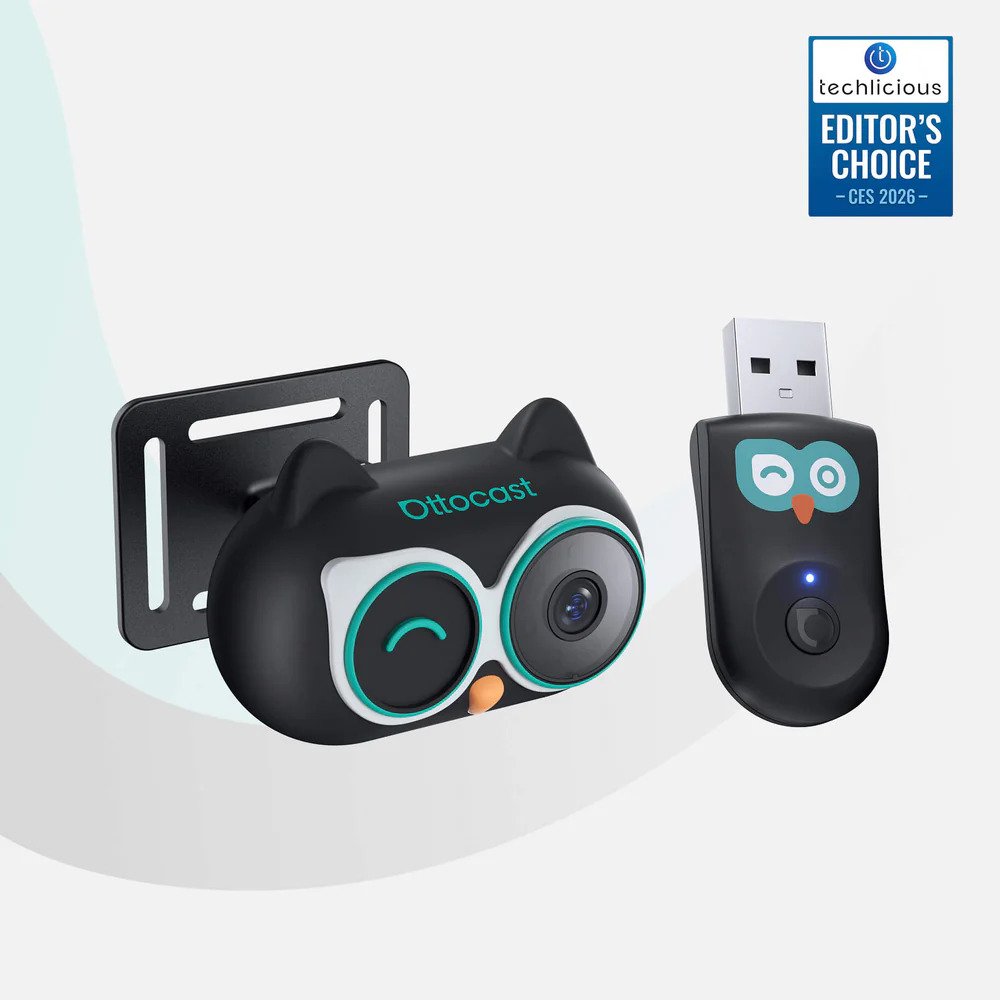
Upgrade your drive with the Cabin Care Wireless CarPlay Adapter for a smoother, cable-free experience.
Let’s be for real: Being a parent or a pet owner in 2026 is high-key stressful. You’re out here trying to live your best life, running errands, or hitting the road for a weekend trip, but the backseat is a literal war zone. You’ve got a toddler back there who might be sleeping (or might be plotting), a dog who thinks he’s a co-pilot, and a dashboard covered in more wires than a 1990s hacker movie. It’s mid. It’s messy. And honestly? It’s a total vibe killer.
If you’re all about leveling up your peace of mind—whether that means keeping a wire-free eye on your property back home with our ANRAN G3M3 4G LTE Solar Security Camera Review or simplifying your vehicle setup—modern tech is finally catching a vibe. For drivers interested in adding more visibility on the road, our OTTOCAST OttoSafe Cam review also explores a dual-camera dash cam setup with 2K front recording and 1080p rear recording.
But when it comes to road trip chaos, what if you could cut the cables, skip an extra suction-cup monitor, and see your baby in 1080p HD right on your car’s actual screen?
Enter the OTTOCAST Cabin Care Wireless CarPlay Adapter.
I’ve been testing this unit for a minute, and I’m telling you right now: This isn’t just a tech gadget; it’s a lifestyle upgrade. It’s the GOAT of car accessories this year.
Secure the bag early: and use code OTTOCAST20 to save some serious bread. 💸 VISIT OFFICIAL OTTOCAST SITE ⤵️
1. The Struggle: Why Your Current Setup Is “L” Energy
Before we get into the “why this is bussin” section, let’s talk about the Ls we’ve all been taking.
The “Neck-Snap” Move
You’re driving 65 on the highway. You hear a weird noise from the back. You do that awkward, half-body twist to check the mirror. In that 1.5 seconds, you’ve drifted three feet toward the rumble strip. That’s a massive safety fail.
The Cable Chaos
Standard wired CarPlay is a drag. Your phone cable eventually frays, the connection gets glitchy, and your center console looks like a “before” picture on a cleaning TikTok.
The Dashboard Clutter
Most car baby cameras come with their own separate 5-inch monitor. Where does that go? It gets stuck to your windshield, blocking your view, or it sits on your dash looking like a piece of vintage tech that doesn’t belong.
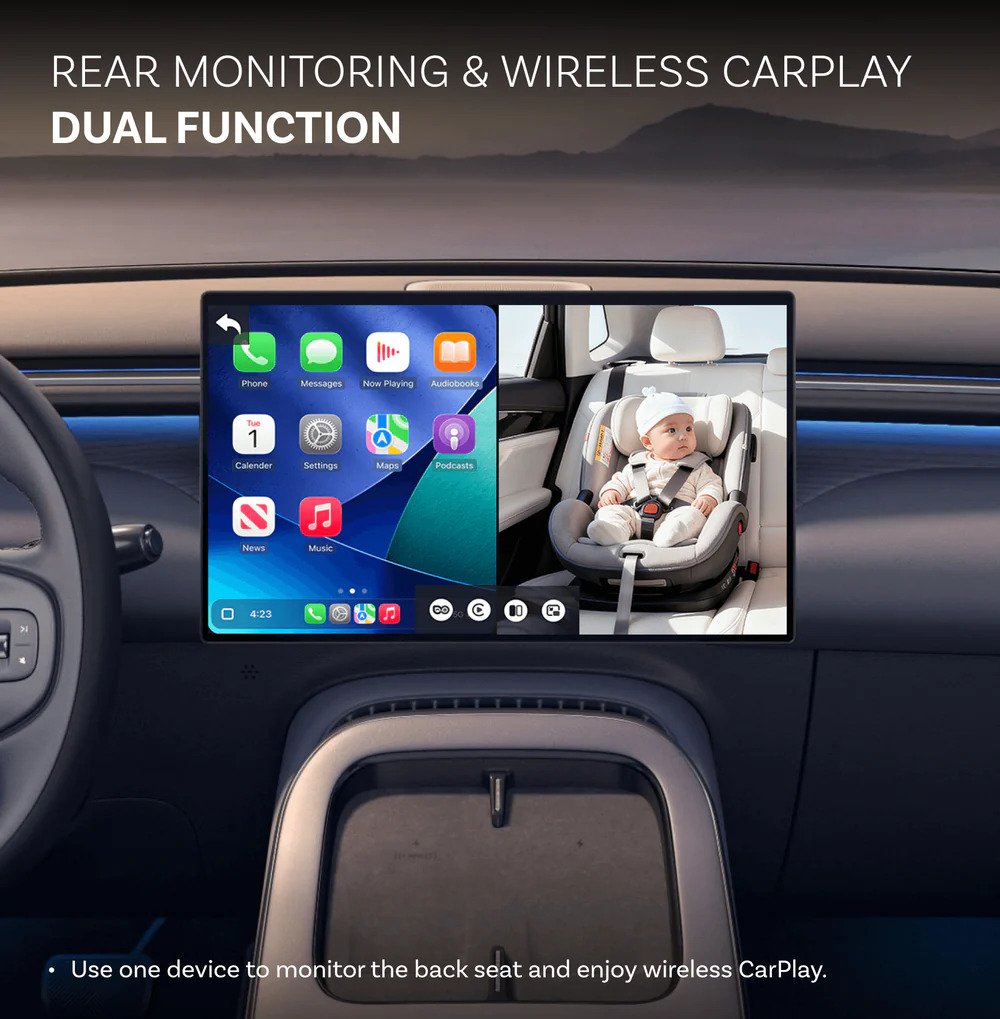
The Solution: The Ottocast Cabin Care takes all those problems and says “bet.” It integrates everything into the screen your car already has. That’s Big Brain Energy.
2. Unboxing the Vibe: What’s in the Box?
When you open this up, you aren’t met with a bunch of confusing IKEA-style parts. It’s clean, it’s premium, and it’s ready to go.
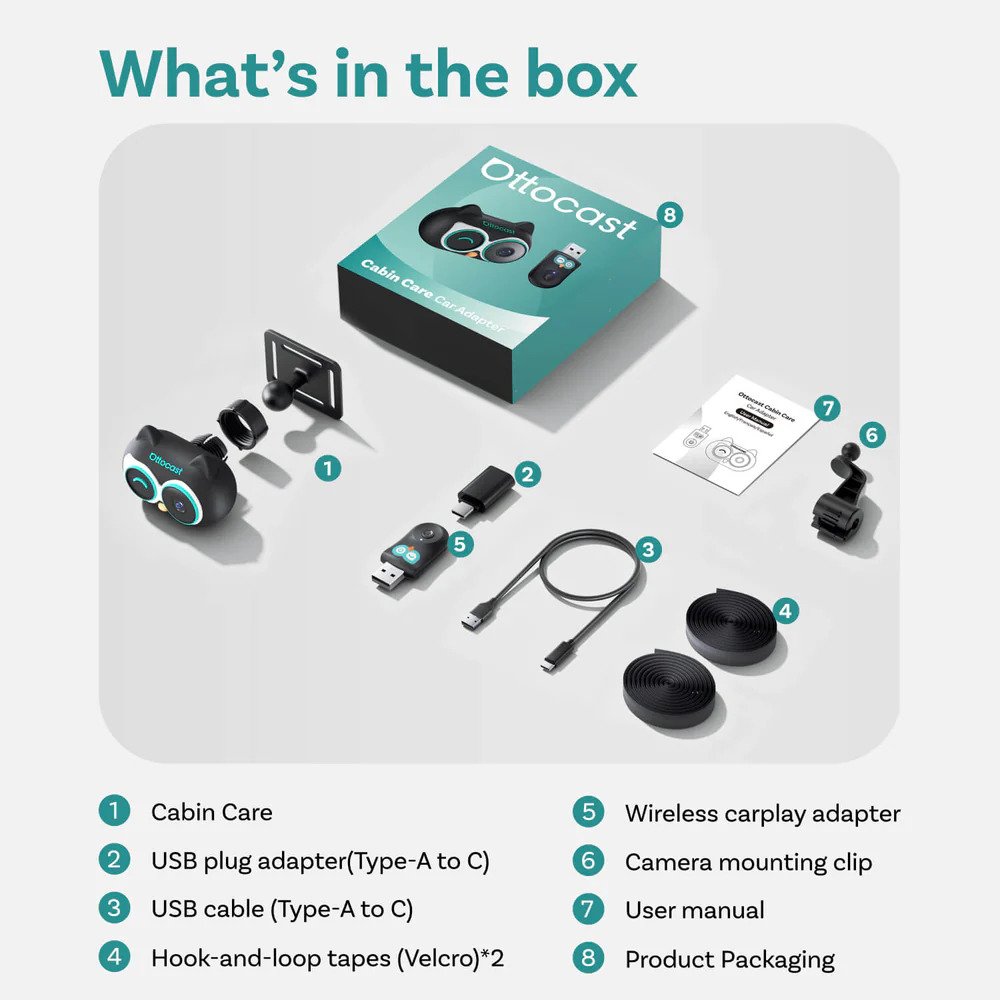
- The Brain (The Adapter): A sleek, low-profile box that plugs into your car’s USB data port.
- The Eye (The Owl Cam): A 1080p camera shaped like a little owl. It’s cute enough that it doesn’t look like “Big Brother” is watching your kids.
- The Gear: A long-reach cable for the camera and two different mounting options (The Strap and the Clip).
3. Wireless CarPlay: The End of the “Plug-In Era”
Let’s talk about the Wireless CarPlay functionality first. This is a wired-to-wireless adapter. If your car (2016 or newer, usually) has factory-wired CarPlay, this device is your new best friend.
The Handshake
The moment you hop in the car, the Cabin Care connects to your iPhone via 5GHz Wi-Fi. By the time you’ve put your seatbelt on and adjusted your mirrors, CarPlay is already up. Maps are ready. Spotify is vibing.
Zero Lag
A lot of cheap adapters on the market have that annoying 2-second audio lag where you skip a song and have to wait. The Cabin Care is snappy. It’s got that Aura. Whether you’re using Siri to send a “running late” text or following a GPS that actually updates in real-time, the performance is top-tier.
4. The Rear-View Camera: 1080p or Bust
Now, here is where the Cabin Care really separates itself from the “mid” competition.
The “Live View” Feature
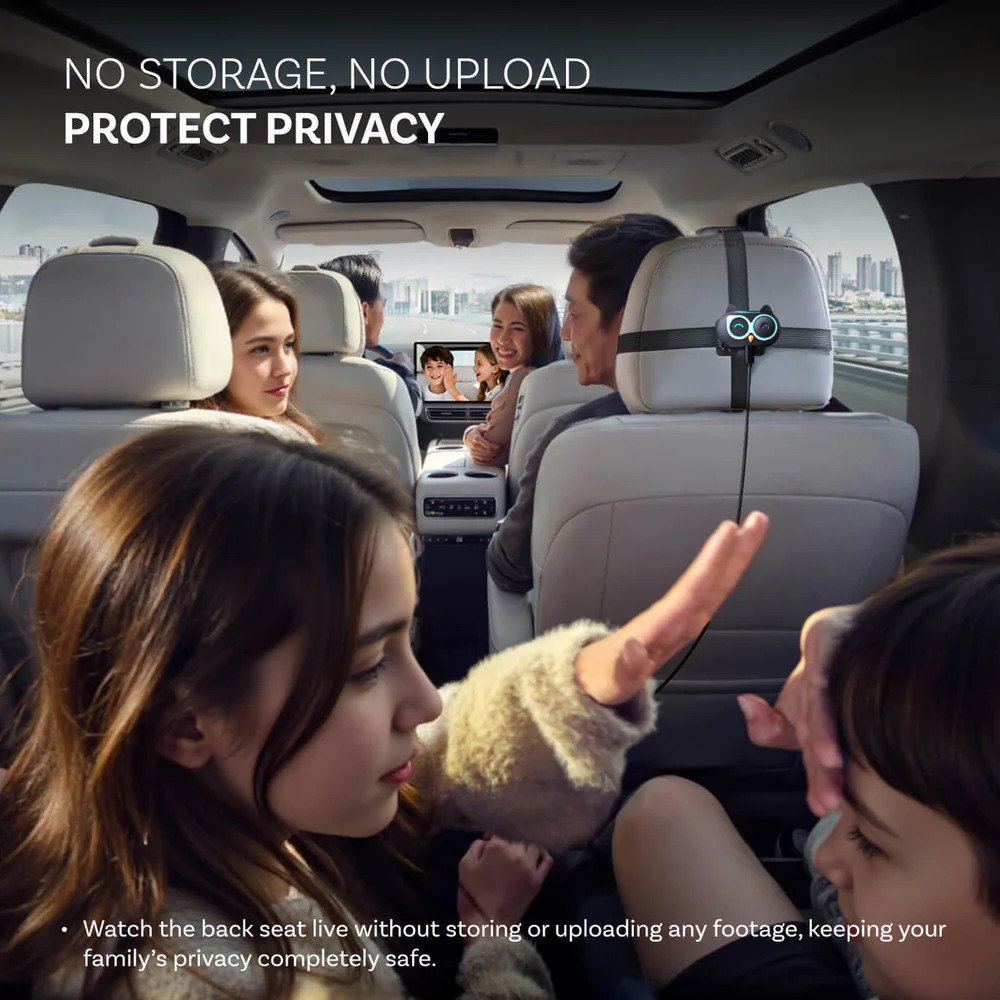
Most systems make you choose: CarPlay or Camera. The Ottocast lets you flip. You get a live, real-time feed of the backseat. There is zero recording and zero cloud uploading. This is huge for privacy. Your family’s moments aren’t being sent to some random server; it’s a direct, secure line to your dash.
150° Wide-Angle (No Crumbs Left)
Some cameras only show you the headrest. This one gives you the full 150-degree perspective. You can see if the baby dropped their bottle, if the dog is chewing the upholstery, or if your two kids in the back are actually touching each other (the ultimate “he’s on my side” drama).
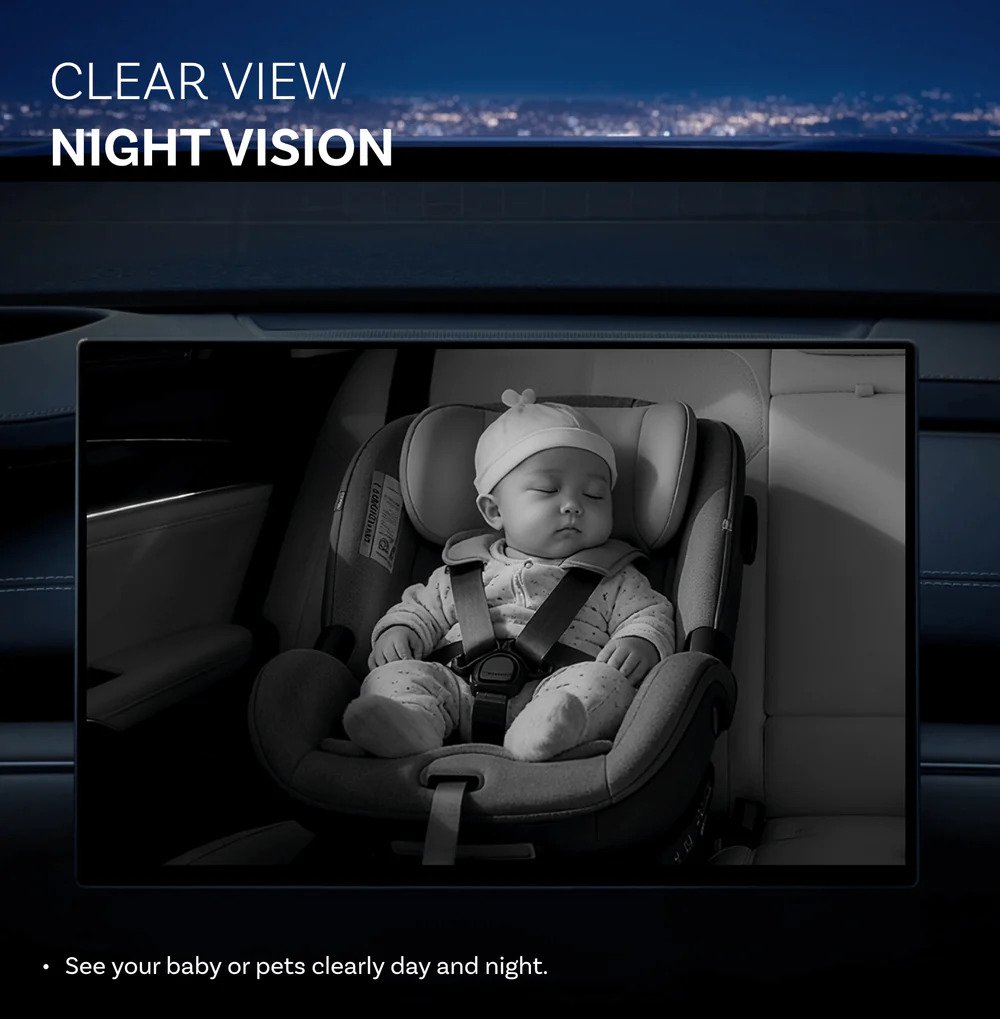
Night Vision that Slays
The night vision on this thing is built different. It’s infrared, meaning it doesn’t emit that bright red light that wakes up a sleeping toddler. On your car screen, the image stays crisp even on pitch-black backroads.
5. Setup & Installation (It’s Not That Deep)
You don’t need to go to a mechanic. You don’t need to watch a 40-minute YouTube tutorial.
- Mount the Camera: Use the cross-strap on the headrest or the metal rod clips.
- Run the Cable: Tuck it into the side panels (super easy, stays hidden).
- Plug it in: Pop the adapter into your CarPlay USB port.
- Pair: Connect your iPhone via Bluetooth once.
Boom. You’re the main character now.
6. The “FOTA” Flex: Future-Proofing Your Ride
Technology moves fast, and there’s nothing worse than buying a gadget that’s obsolete in six months. Ottocast included FOTA (Firmware Over-The-Air) upgrades.
If Apple drops a new iOS update that changes how CarPlay works, you don’t need a new device. You just update the firmware via the Ottopilot app. It’s quick, it’s easy, and it keeps your tech feeling fresh. This is how you get more years of use out of your gear. Sustainable Rizz.
7. Solving the “Multi-Driver” Drama
If you share a car with your partner, you know the “Bluetooth War.” Usually, the car connects to the person in the passenger seat instead of the driver.
The Cabin Care has a physical button to switch between devices. One click, and it swaps from your partner’s phone to yours. No digging through menus. No “turn off your Bluetooth so I can connect” arguments. It’s a small feature that saves a lot of headaches.
8. Is it Compatible? (The Quick Check)
Don’t be the person who buys it and realizes their car doesn’t support it. Here is the checklist:
- Wired CarPlay? Does your car have factory-wired Apple CarPlay? (Usually 2016+ models).
- iPhone User? This specific model is for the Apple fam. (Android Auto isn’t invited to this party yet).
- USB Data Port? Make sure you’re plugging into the port that handles data, not just the “charging only” cigarette lighter style.
Quick Hack: Plug your phone in with a cable right now. If CarPlay pops up, you’re good to go.
9. Privacy & Security: No Creeps Allowed
We’ve all seen those news stories about hacked baby monitors. It’s terrifying. The Cabin Care is a closed-loop system. It doesn’t connect to the internet. It doesn’t store footage. It’s a “Live Only” feed. This means your “peace of mind” is actually protected.
10. The Verdict: Is it Worth the Coin?
At the end of the day, you are paying for two things: safety and convenience.
Buying a premium wireless adapter for about $80 and a high-end baby car camera for around $60 can quickly add up to nearly the same total cost. The difference is that you would still be dealing with two separate devices, extra wiring, and more clutter inside your car.
That is where Cabin Care stands out.
It combines both features into one clean, modern setup that keeps your dashboard organized and reduces distractions. Instead of managing multiple devices, everything works together seamlessly in a single system.
The result is a driving experience that feels more advanced, safer, and closer to a modern 2026 luxury vehicle.
The Pros:
- Eliminates “Distracted Driving” anxiety.
- Crisp 1080p video on your existing screen.
- Clean, wire-free dashboard.
- Easy switching between phones.
- FOTA updates keep it alive for years.
The Cons:
- Only for iPhone/CarPlay (Android users stay losing for now).
- Price point is premium (but you get what you pay for).
Final Rating: 9.8/10 – Absolute Must-Have.
Gear Up: More Ways to Level Up Your Travel & Tech Game
Now that your dashboard is completely decluttered and your road trips are officially stress-free, why stop the upgrades there? If you’re looking to fully trick out your in-car entertainment system, check out our deep-dive Ottocast P3 Pro AI Box Review to see how to turn your screen into a total powerhouse.
Of course, if your weekend plans involve swapping four wheels for two, we’ve been testing some absolute game-changers lately. For city commuters looking for a smooth, classic ride, our breakdown of the RockBros Gravis steel folding bike shows exactly why steel is making a massive comeback. If pure, lightweight speed is more your vibe, look no further than our hands-on RockBros PGZ carbon fiber road bike review to see if this budget superbike lives up to the internet hype. And for those looking to conquer the trails with raw electric power, go read our honest Kingbull E-Bike review to find out if it’s the ultimate daily commuter or just clever marketing.
But let’s be real—hauling those heavy-duty electric rigs around requires the right gear so you don’t ruin your bumper. If you’re hauling a massive setup, we put a beastly 200lb-capacity carrier to the test in our Etrike Hitch Rack review to see if it’s the real deal. For SUV drivers looking for a budget-friendly option, we also rounded up the 7 best affordable e-bike racks for fat tires that won’t break the bank. Finally, don’t let a dead power cell ruin your next big adventure—bookmark our essential e-bike battery storage tips to keep your ride running at peak performance all year long and ARCCTV Solar Security Camera System Review
The FAQ
Does Ottocast Cabin Care work with wireless CarPlay?
Yes, but here is the tea: the Cabin Care is designed to create a wireless CarPlay connection by plugging into your car’s wired USB data port. It basically upgrades your wired setup to wireless while adding that 1080p camera feed. If you already have wireless CarPlay, this device still works as the hub for your baby camera, giving you that all-in-one screen experience.
Does Ottocast work with cars that already have wireless CarPlay?
Most likely, yes. Even if your car is fancy enough to have wireless CarPlay from the factory, it almost definitely still has a physical USB data port. You just plug the Ottocast adapter into that port to get the camera functionality. It becomes the new “brain” of your infotainment system.
Is Ottocast better than Magic Box?
It depends on your vibe. The Magic Box is usually for people who want to stream Netflix or YouTube on their car screen (we see you, car-campers). But if you’re a parent or pet owner, the Ottocast Cabin Care is the clear winner because it’s built specifically for safety and monitoring the backseat in real-time. It’s a utility play, not just an entertainment play.
Will Ottocast drain my car battery?
Short answer: No. Long answer: Almost every car made in the last decade cuts power to the USB ports about 5 to 10 minutes after you turn off the engine and lock the doors. Unless your car has a “constantly live” USB port (which is super rare for CarPlay ports), the Ottocast will go to sleep right along with your car. No dead batteries here.
The Quick Link Vault
If you’re looking for the nitty-gritty details or the “how-to” side of things, check out these common deep-dives:
- Cabin Care Wireless CarPlay Adapter Ottocast Review:
- You’re looking at it. This is the top-tier breakdown.
- Setup & Manuals:
- Looking for the Cabin Care Wireless CarPlay Adapter Ottocast manual or instructions? Most of it is plug-and-play, but the digital manual is accessible via the Ottopilot app for those who want to read the fine print.
- Ottocast Cabin Care Android:
- Just a heads-up for the Android squad—this specific model is heavily focused on the iPhone fam, so check compatibility if you’re rocking a Pixel or Galaxy.
- Ottocast Cabin Care Alternative:
- If you’re looking for other options, you can find them in our Technology category, but honestly, for the baby cam integration, this is currently in a league of its own.
Grab the official adapter here: